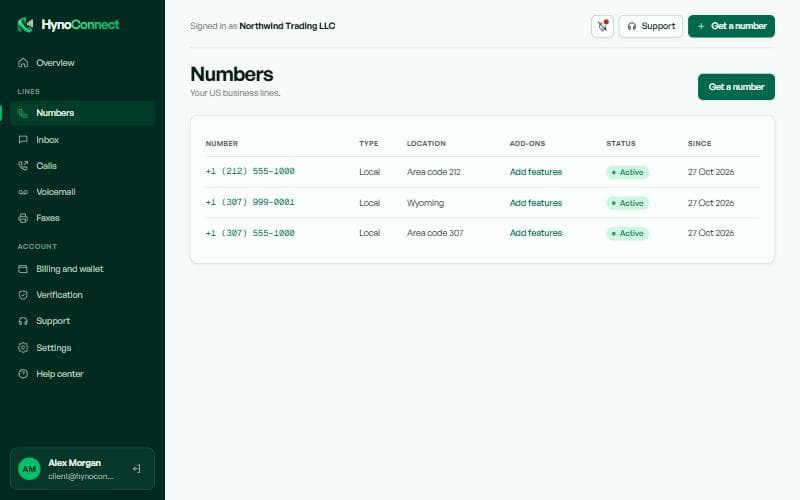
All your numbers in one table: type, location, add-ons, status and the date each one started.
hynoconnect.com/app
How to
Click a number to open its settings.
Click Add features to add voicemail or fax to that number.
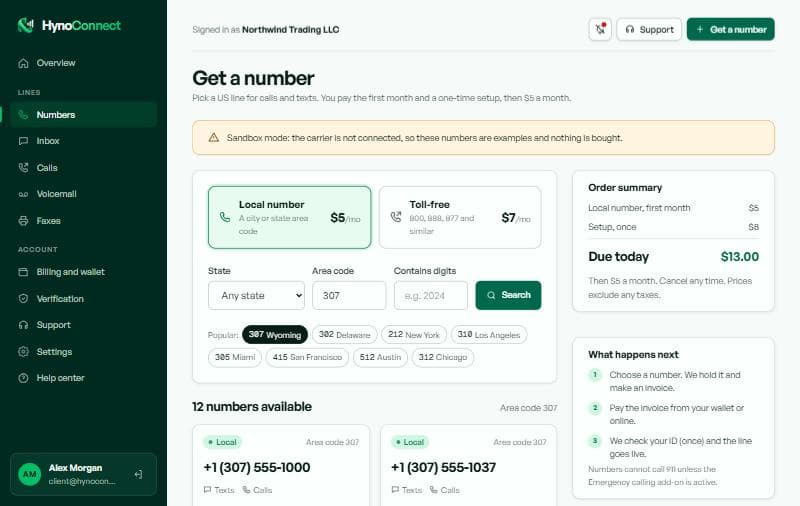
Use Get a number to order another line.
D · Numbers → click a number
Number settings and renewal
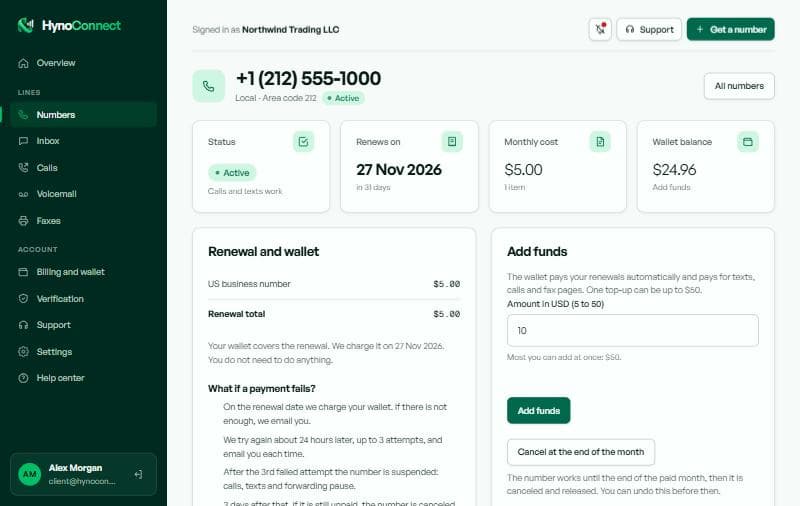
Everything about one number: its status, when it renews, what it costs each month, call forwarding, texting and add-ons.
hynoconnect.com/app
Status and renewal
Active means calls and texts work. The renewal date is when the next month is charged to your wallet.
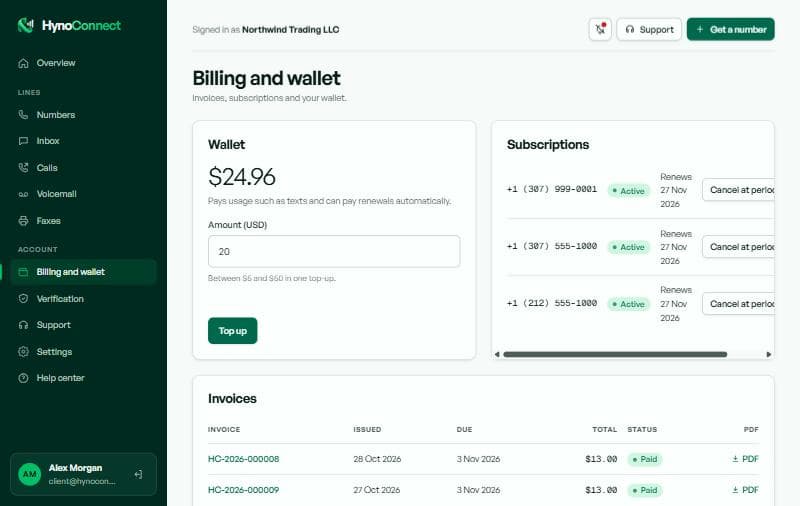
Renewal and wallet
Lists what is billed each month and what happens if a payment fails.
Add funds
Top up the wallet so renewals are paid automatically.
Cancel at the end of the month
The number keeps working until the paid month ends, then it is released. You can undo this before then.
How to
Keep enough in your wallet before the renewal date.
Scroll down to set call forwarding and send a test text.
Use Cancel at the end of the month only if you no longer need the number.
We email you before each renewal and again if a payment fails, so you have time to top up.
E · Numbers → a number → Add-ons
Add-ons: voicemail and fax
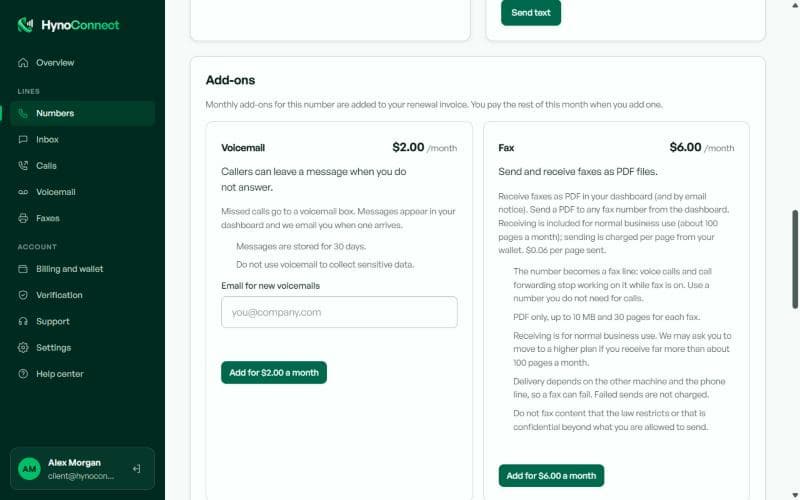
Extra features for one number. You pay only the rest of the current month when you add one, then it joins the number's monthly renewal.
hynoconnect.com/app
Voicemail
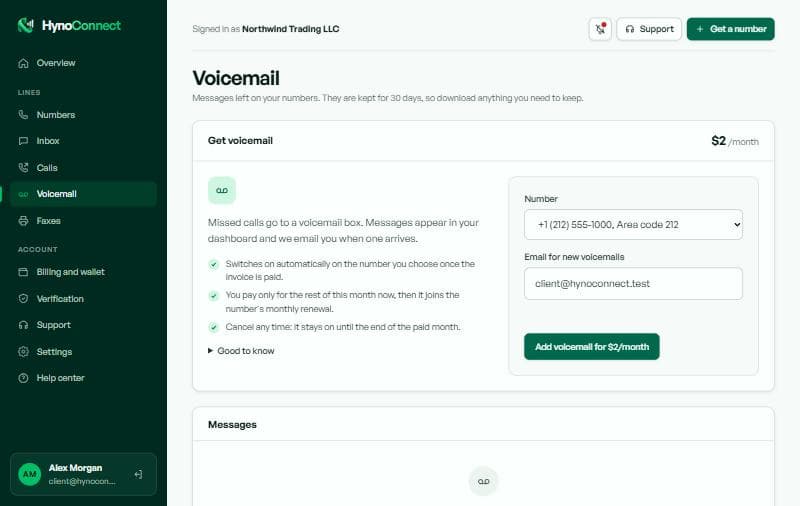
Missed calls go to a voicemail box. Messages appear in your dashboard and we email you when one arrives. They are kept for 30 days.
Fax
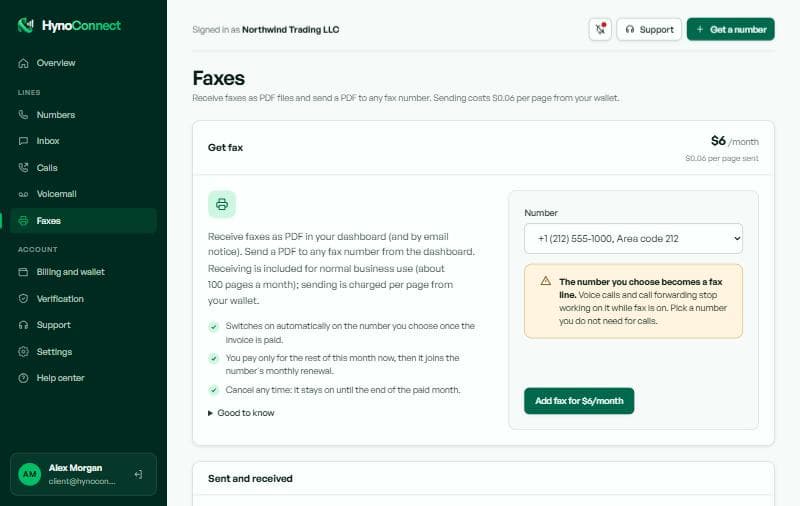
Receive faxes as PDF files and send a PDF to any fax number. Sending is charged per page from your wallet. The number becomes a fax line, so calls stop working on it.
How to
Open the number and scroll to Add-ons, or use the Voicemail and Faxes pages.
Fill in the email for notices if asked.
Click Add. Pay the small invoice and the add-on switches on by itself.
Cancel an add-on any time. It stays on until the end of the paid month.
F · Sidebar → Inbox
Inbox (texts)
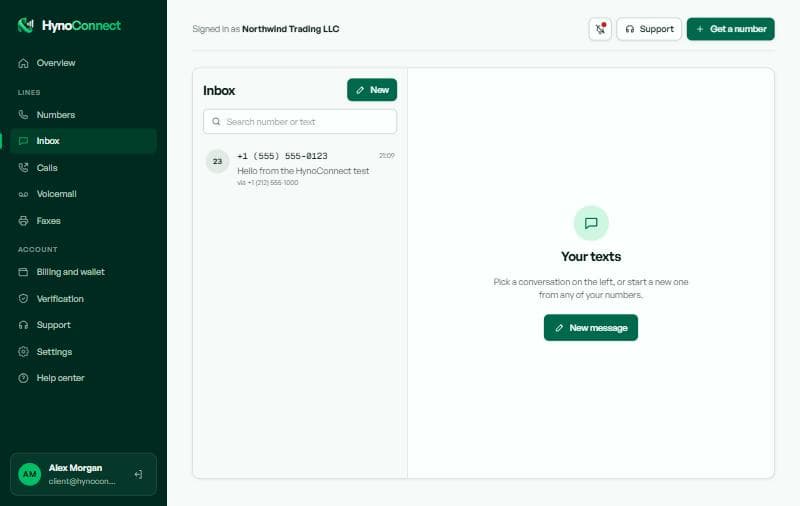
All text messages to and from your numbers, grouped into conversations like a phone.
hynoconnect.com/app
How to
Click a conversation on the left to read it and reply.
Click New to text someone from any of your numbers.
Use the search box to find a number or a word.
Marketing texts need the recipient's consent and a way to opt out. See the messaging policy.
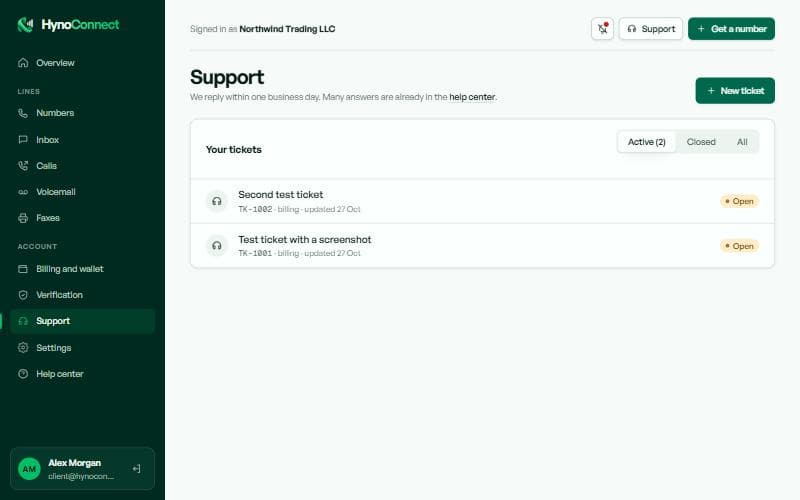
Ask us anything. We reply within one business day and email you when we do.
hynoconnect.com/app
How to
Check the help center first: many answers are already there.
Open a ticket from the list, read our replies and answer in the same thread.
Use the Active, Closed and All tabs to find older tickets.
M · Support → New ticket
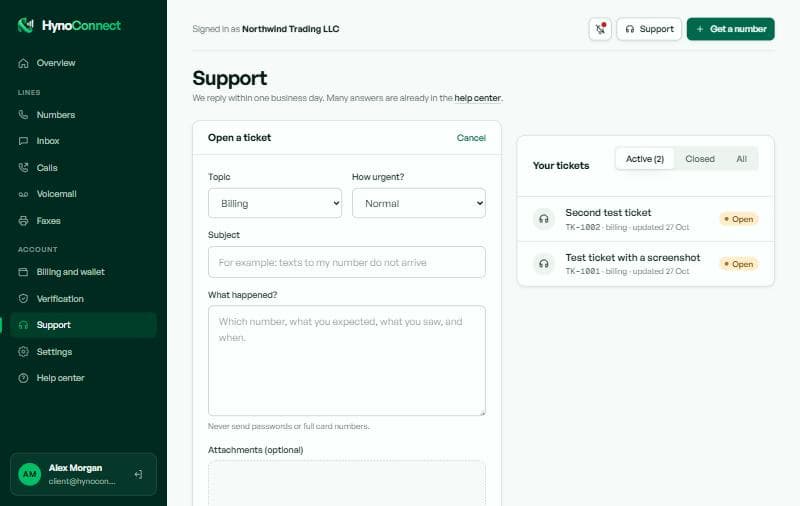
Opening a ticket
A good ticket gets a faster answer.
hynoconnect.com/app
How to
Pick the topic and how urgent it is.
Write a short subject and say which number, what you expected and what you saw.
Drag screenshots or PDFs into Attachments, then send.
Never send passwords or full card numbers in a ticket.
N · Sidebar → Settings (or click your avatar)
Settings and security
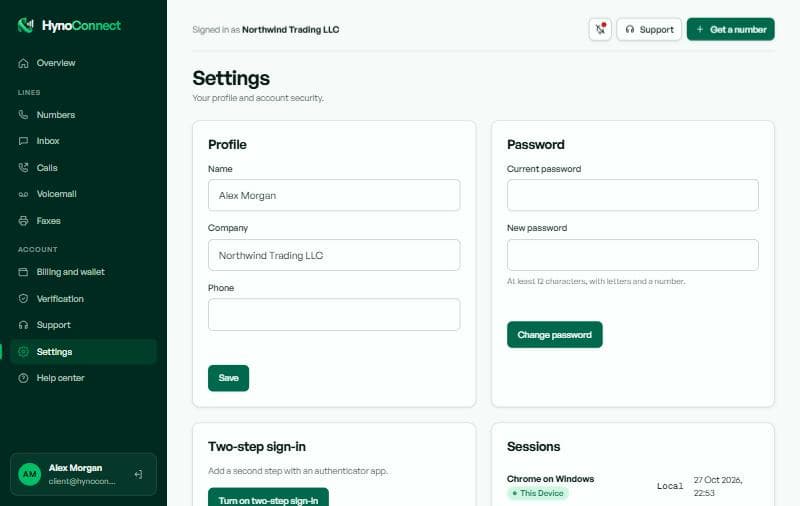
Your profile, password and account security.
hynoconnect.com/app
Profile
Your name, company and contact phone.
Password
At least 12 characters, with letters and a number.
Two-step sign-in
Adds a code from an authenticator app at sign-in. Strongly recommended.
Sessions
Every device signed in to your account. Sign out any you do not recognise.
How to
Turn on two-step sign-in and scan the QR code with your authenticator app.
Type the 6-digit code from the app to confirm.
Review Sessions now and then.
Dashboard questions
Frequently asked
How do I get notified about calls and texts?
Click the bell in the top bar of the dashboard and allow notifications. Your browser then shows a notice for new texts, incoming calls, voicemail, faxes and ticket replies, even when the tab is in the background. Click the bell again to switch them off.
Where can I download my invoices?
Open Billing and wallet in the dashboard. Every invoice has a PDF link that downloads a ready-to-print invoice for your records.
How do add-ons like voicemail and fax work?
Open a number and scroll to Add-ons, or use the Voicemail and Faxes pages. You pay only the rest of the current month when you add one; after that it is part of the number's monthly renewal. Cancel any time and it stays on until the end of the paid month.
Can I change or delete my verification documents?
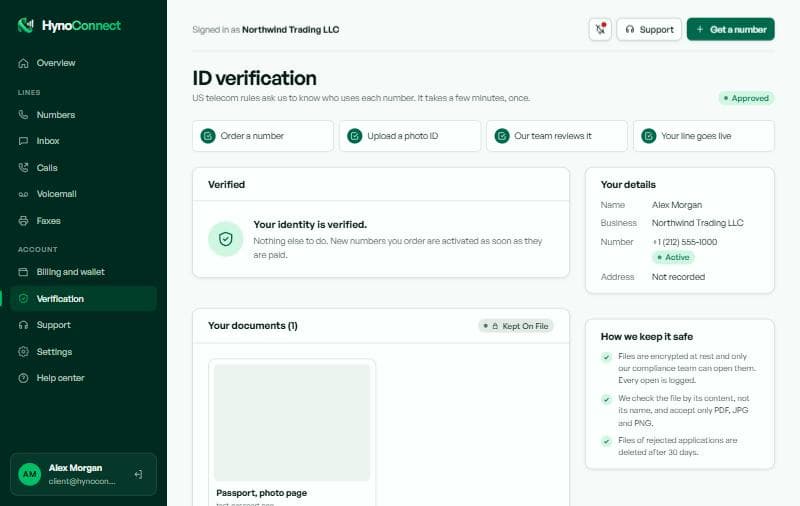
Not while they are under review: once sent, files are locked so the review is fair and complete. If we need something else we ask you, and you can upload the extra file from the Verification page. If an application is rejected, its files leave your view and are deleted after 30 days.
Can I make and answer calls in the browser?
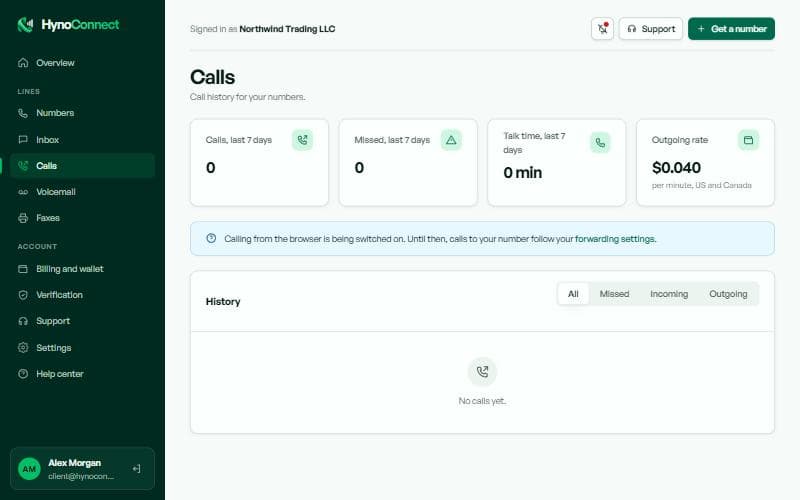
Yes, once browser calling is switched on for your account. Use the round phone button at the bottom right of the dashboard and allow the microphone. Until then, calls follow your forwarding settings.
How do I ask for a refund?
Open a support ticket with the invoice number and the reason. Approved refunds go back to the original payment method where the provider allows it; otherwise we arrange it with you through the ticket. See the refund policy for what is refundable.
What happens to my number if my wallet runs out?
Renewals are taken from your wallet. If there is not enough, we try again a few times and email you each time. Top up before the last attempt and nothing changes; after that the number is suspended and later released.